















bookmi.
050-1793-8198Log inGet the guideStart free

AI operations platform for restaurants

Restaurant bookings, orders and shifts,
all in one place.

Food-site bookings flow into one ledger, guests order from their own phones, and shifts build themselves from your templates. Less busywork every day, without hiring more hands.

No credit card · takes a minute to apply

2,500+
Stores
98.5%
Retention
-40%
Time Saved
¥0
Setup Fee

* Time savings vary with each restaurant's size and operations.

Restaurants, by the numbers

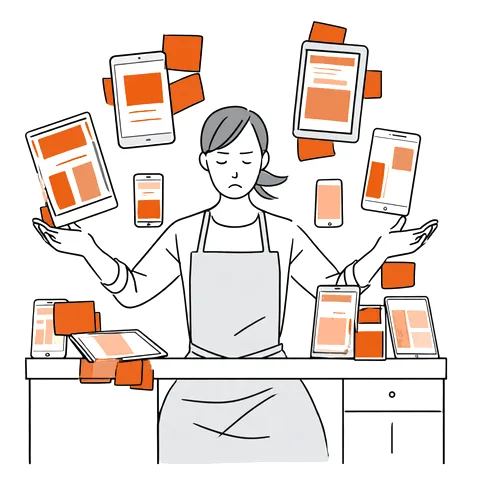
More tools than ever. The same old problems.

Bookings and orders have gone digital, yet five problems remain on the floor. Here's what industry surveys show.

  1. 44.8%
    of restaurants total sales and costs in Excel (41.6% use a dedicated tool)
    01

    More apps for bookings, the till, delivery and orders, and pulling it all together is a chore: receipts, payroll and bookkeeping still end up in Excel

  2. ~70%
    of restaurants saw purchase costs rise 10%+ year on year
    02

    Ingredient costs keep climbing, but the numbers don't tell you which dishes to reprice

  3. 37.1%
    of restaurant workplaces had a part-timer quit within three months (27.0% a year earlier)
    03

    Wages rise every year, yet peak hours are still short-handed, and new hires quit within three months with no one to train them

  4. 63.3%
    of restaurants still build shifts in Excel or on paper
    04

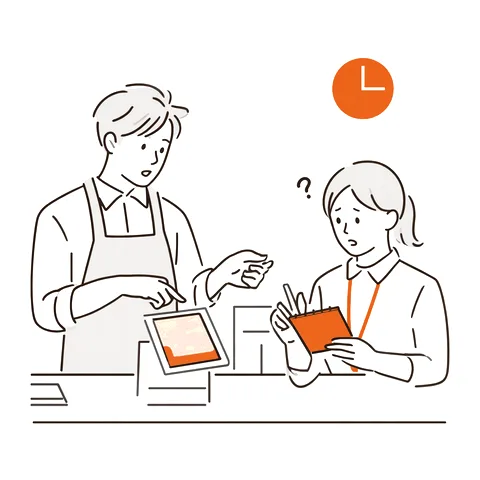
    Shifts and timesheets still get done in Excel after closing

  5. 39.0%
    of restaurants name falling customer numbers as a business problem
    05

    New guests are thinning out, yet there's no time to answer Google reviews or post on Instagram

* Sources: Inshokuten.com (Synchro Food) surveys, Oct 2025 and Jan 2026; Mynavi part-time hiring survey 2025; Japan Finance Corporation, Apr–Jun 2026

With bookmi

Connect it all, and the busywork shrinks

Data, costs, staffing, shifts and new guests: five headaches, one dashboard.

Bookings, orders, shifts and numbers in one dashboard

Bookings, orders, shifts and timesheets, sales and costs, reviews and hygiene records, all under one account and one dashboard. No more hopping between apps to copy numbers across. Order data feeds straight into reports by hour and by dish, daily reports roll into the next morning's briefing, timesheets go straight into payroll (Pro plan), and your accountant gets CSV files for Yayoi or freee.

One AccountReports from Order DataMorning BriefingPayroll (Pro)Yayoi & freee CSVPOS IntegrationAI Receipt Reading

Decide on price rises with real costs and FL ratios

Register your recipes to see the cost and food-cost ratio of every dish. Sales and average spend are totalled from daily reports, and recording daily costs adds FL ratios. Compare stores, get yesterday's summary around 8am by LINE and email, and export CSV files for Yayoi or freee for your accountant.

Impact
+35% Faster Decisions
Recipe CostingStore ComparisonFood Cost & FL RatioMorning BriefingAccountant ReportAI Business Assistant

Run with fewer hands: guests order themselves, and training runs on a system

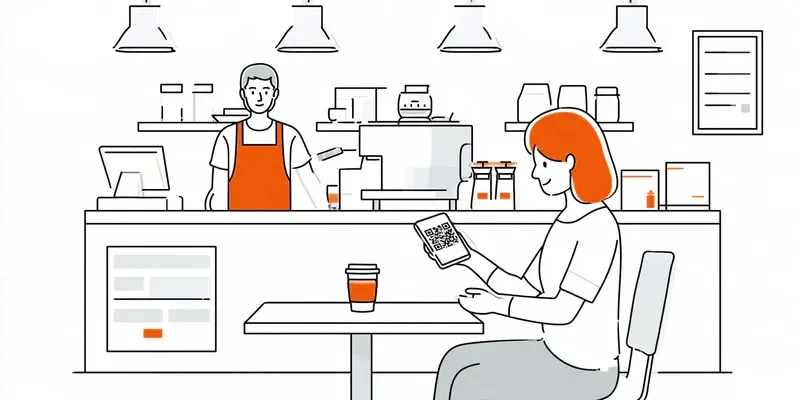
Guests scan the QR code on the table and order for themselves, and orders print in the kitchen, so there's far less running around at peak. For training, manuals and course progress are shared in the app, so it no longer depends on who happens to be teaching. On the Pro plan, a skill map for each position records what each person can do and how well, with the evaluator and evidence, and links into performance reviews and promotion.

QR Self-OrderKitchen PrinterManualsTraining Progress (Pro)Skill Maps & Reviews (Pro)Multilingual MenuPay at Table · Cashless

Shifts built for you, attendance totalled for you

Shifts are built automatically from your templates and rules. Clock-ins and clock-outs are recorded with a photo, and punches can be corrected. Attendance is totalled monthly and, on the Pro plan, feeds straight into payroll. Leave requests and approvals, automatic paid-leave grants and the 5-day annual requirement are handled on the same screen.

Impact
-80% Payroll Time
Auto ShiftsPhoto Clock-inMonthly TotalsLeave ApprovalPaid Leave TrackingShift Requests

AI drafts your review replies and your posts

Reviews from Google, Tabelog and more are gathered on one screen, so you can see at a glance which still need a reply. AI drafts three replies in the reviewer's own language, English and Chinese included. It also drafts three versions of posts for your Google Business Profile, Instagram and LINE from today's special, a new dish or open tables. Pick one, copy it and post it on each service (Standard plan and up).

Review Inbox & UnrepliedAI Reply DraftsForeign-language ReviewsPost Drafts (Google, Instagram, LINE)LINE Segmented Messages (LINE Pack)Review Invitations after Mobile Orders

A Day with bookmi

From opening prep to the next morning, one connected flow

Bookings, orders, daily reports and numbers no longer live in separate tools, so there's less copying and double-checking.

  1. 10:00

    Before opening

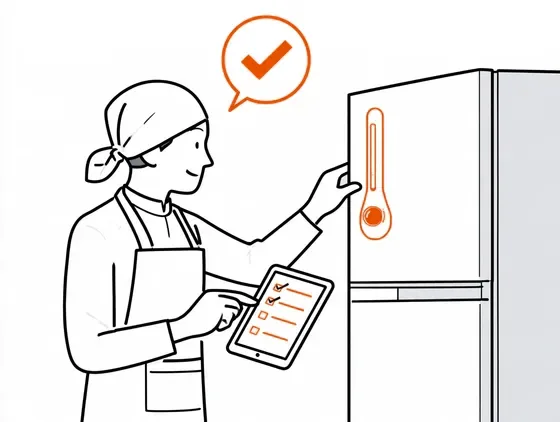
    Log HACCP and expiry-date checks in the app; staff clock in with a photo.

    HACCP & Timesheets
  2. 16:30

    When a booking comes in

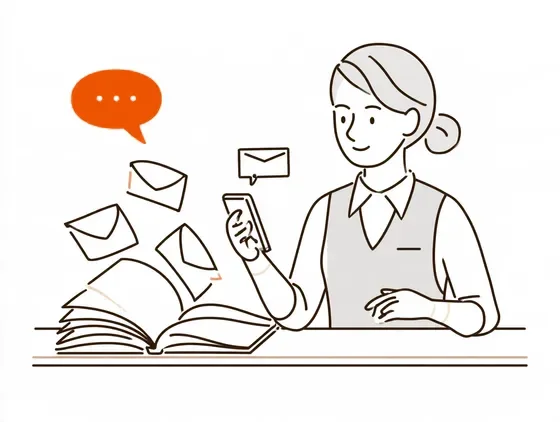
    The booking site's email is read into the ledger and your team is told on LINE.

    Booking Ledger
  3. 19:00

    During service

    Orders from table QR codes or iPads print automatically in the kitchen.

    Mobile Ordering
  4. 23:30

    After closing

    Staff submit the daily report from the app and head office replies with comments.

    Daily Reports
  5. 8:00

    Around 8 the next morning

    Yesterday's summary arrives as a morning briefing on LINE and email.

    Morning Briefing

* Available features depend on your plan. See Pricing below for what each plan includes.

Key capabilities

From bookings and checkout to running the numbers

The tools your team uses every shift, and the ones that tell you what to do next — all in one app.

Notable changes this weekUpdated daily at 6:00
Summary

Average spend is up 8% on last week — mostly more dinner-course orders, and more rainy-day visits than forecast.

Sales this week
¥2,486,200+12%
Prep guide for tomorrowvs last wk
Karaage4.2 kg+15%
Draft beer3 kegs+8%
Sashimi platter28 plates−5%
Dashimaki omelet36 rolls+11%
Highball140 glasses+6%
Tomorrow's order guide is ready (12 items)7dShare with team

AI business assistant

AI forecasts sales, suggests prep and order quantities, and flags numbers that move unexpectedly.

Every booking in one book — tables assigned for you

Hot Pepper, Tabelog, Gurunavi, Google, phone calls and your own booking page — wherever a booking comes from, it lands in one book automatically. Open tables are matched to party size and time, so the nightly seating plan takes care of itself.

Pay at the table, cashless

Guests pay straight from their phones, with pay-first or pay-later switchable by time of day.

Takeout pre-orders

Guests order and pay ahead from LINE or your own page, choosing a pickup time.

Guest insights from visit & order history

See each guest's visit count and ordering habits, and use them to greet regulars and make recommendations.

LINE segmented messages & booking reminders

Message LINE friends filtered by visit status, visit count or tags, and remind guests automatically the day before their booking (LINE Pack add-on).

AI review replies & post drafts

AI drafts replies to incoming reviews and drafts posts for you (Standard plan and up; uses points).

Shift requests & AI-built rotas

Staff submit availability from their phones, and AI drafts a rota around labour cost and staffing needs.

Kitchen display (KDS)

Show orders on a kitchen screen and share cooking progress with the floor.

POS integration (Smaregi, AirREGI)

Pull sales data from your POS into daily reports and analytics automatically.

Every feature8 categories: bookings, orders, analytics, staff, inventory, hygiene and moreSee all featuresClose

Bookings, guests & reviews

Bookings from listing sites, Google and the phone all land in one booking ledger, with tables assigned automatically. Incoming reviews can be checked in the same dashboard.

  • Bookings from every listing site in one place, automatically (Hot Pepper, Tabelog, Gurunavi and more)
  • New bookings, changes and cancellations sent to that location's staff on LINE
  • Automatic table assignment by party size and time, plus a booking list (cancellations, no-shows)
  • Guest ledger (merged by phone number, with tags and notes)
  • Review list (food sites and Google, filtered by rating and site)

Ordering & tables

Take orders from the in-store iPad, staff devices and guests' own phones via the QR code on the table. Orders print automatically at the kitchen printer.

  • QR mobile ordering
  • Ordering from iPads and staff devices
  • Digital menu (options, toppings, courses and all-you-can plans, required choices)
  • Automatic kitchen printing
  • Multilingual menus (English, Chinese, Korean)
  • Table and area management, staff call requests

Business analytics

Sales indicators, the monthly sales sheet and average spend are compiled from staff daily reports. Record daily costs and you can also see the food cost ratio and FL ratio.

  • Sales indicators, monthly sales sheet, average spend
  • Food cost ratio and FL ratio
  • Performance report from order data (by hour, by menu item)
  • Store-by-store comparison
  • Daily briefing (yesterday's summary each morning by LINE and email)
  • Accountant report (CSV for Yayoi and freee, accountant-only login)

Invoicing & accounting (Standard and up)

Issue invoices and receipts that meet Japan's qualified invoice system, and reconcile payments against your bank statements. AI reads receipts and bills to create journal entries, and the general ledger, trial balance and financial statements are produced in the same dashboard.

  • Invoices and receipts (qualified invoices, sent as PDF)
  • Bank statement import and payment reconciliation (including transfer-fee differences)
  • AI reads receipts and bills, creates journal entries and suggests accounts
  • Journal, general ledger, trial balance, P&L and balance sheet
  • Consumption tax summaries by category (received invoices split into qualified / non-qualified)

Shifts, attendance & HR

Shifts are built automatically from your shift templates, following the rules you set. Attendance, leave and paid leave are managed in one place, and the Pro plan adds payroll and staff evaluations.

  • Automatic shifts from templates
  • Clock-in and corrections
  • Leave requests and approval
  • Paid leave granted automatically, with the 5-day annual requirement tracked
  • Payroll and payslips, evaluations and training (Pro)

Inventory & purchasing

Register ingredients, suppliers and recipes, and record stock through goods in and out and stocktakes. Recipes give you the cost of each dish.

  • Ingredients and suppliers
  • Recipe costing
  • Stock movement history and stocktaking

Hygiene & store operations

Keep HACCP records and expiry checks in the app instead of on paper, and print the monthly record sheet. Daily reports, tasks, notices and manuals live in the same place.

  • HACCP records (printable monthly sheet)
  • Expiry management (lots and daily checks)
  • Store audits (QSC)
  • Daily reports (submitted in the app, commented on by head office)
  • Tasks, notices, meetings, manuals and knowledge base

AI Phone (add-on)

AI answers booking and enquiry calls first, 24 hours a day. Calls stay in a call log you can review, and staff confirm bookings and call back.

  • First response, 24 hours a day
  • Includes a 050 number
  • Call log in the dashboard
  • Choose from S, M, L or XL

Case Studies

Customer stories, and what changed

Many success stories reported from restaurants using bookmi

The owner standing in front of Zaraku Shinjuku's noren curtain

Cross-store comparison and auto shifts cut costs by ¥180K a month

Zaraku Shinjuku

Izakaya・50 seats・3 locations

IzakayaMulti-location
"Data from 3 stores was scattered—we couldn't tell where the problems were."

After integrating with bookmi:

  • Compare sales, inventory, labor costs across 3 stores on one screen
  • Cross-store comparison figures showed "Thursday lunch at Shibuya store is overstaffed"
  • Automatic shift creation saved ¥180K/month
"When you can see the data, management changes. We've decided to open a 4th store."
-18万
Monthly
+22%
Sales/Hour
-87%
Scheduling

The manager standing at the entrance of Shiori Shibuya Main
Reaching 500 lapsed guests lifted monthly sales by ¥1.2M
Shiori Shibuya Main

Set meals & rice bowls・80 seats

Set MealsShibuya
"After COVID, customers never came back... honestly, I was thinking of closing down."
3 months after using bookmi:

  • Automatically reached out to 500 dormant customers
  • 80 of them came back
  • Monthly revenue up ¥1.2M
"I don't have to close the shop anymore. bookmi has become my most reliable partner."
+80
Returning
+120万
Monthly
+18%
Turnover
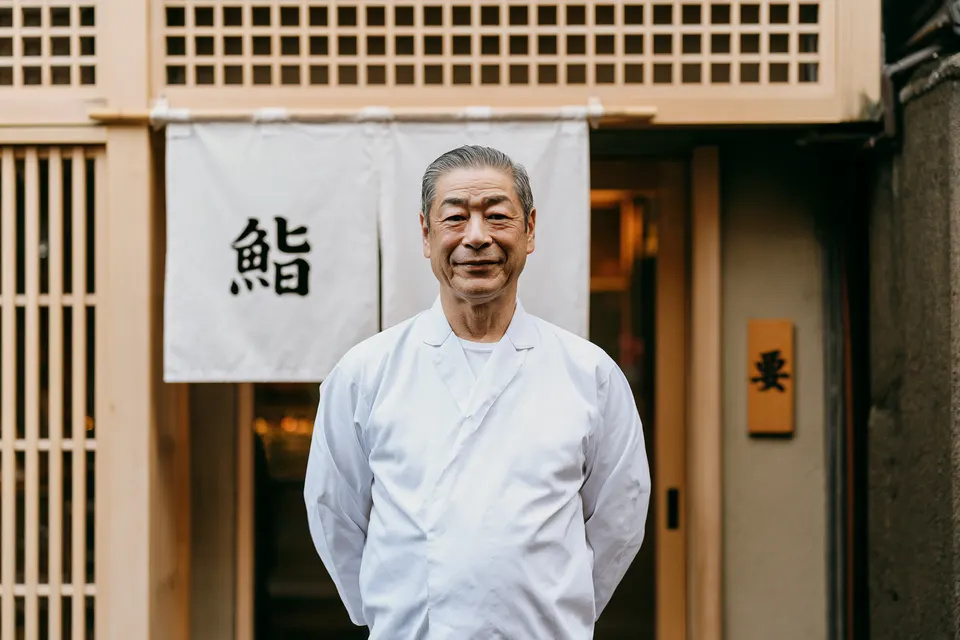
The owner-chef standing in front of Sushi Yoshikawa's noren curtain

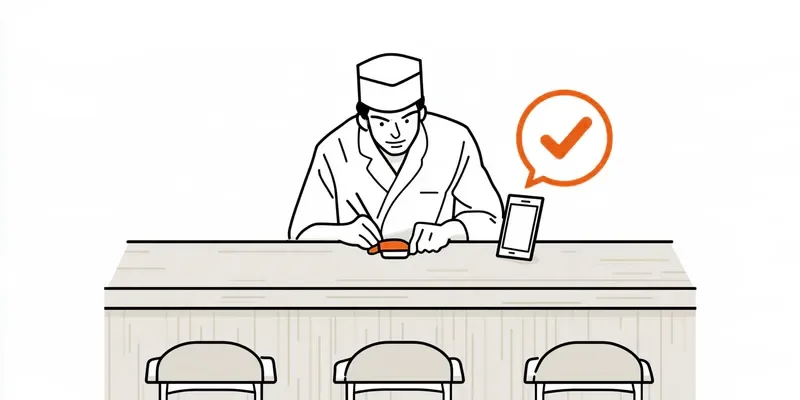
Handing off bookings freed 15 hours a week for sushi and new dishes

Sushi Yoshikawa

Sushi・8 counter seats

SushiSolo
"Running the shop alone, reservation management was really tough."

Now:

  • AI auto-handles LINE reservations (100% response rate)
  • Remembers regulars' preferences ("the usual" ready instantly)
  • 15 hours saved weekly → invested in new menu development
"I can focus on making sushi now. That's what I'm really here for."
100%
Response
-15h
Weekly
-45%
Food Waste

* Figures reflect each restaurant's circumstances and are not a guarantee of similar results.

By Restaurant Type

From izakaya to cafés to multi-site groups

The features each type of restaurant tends to lean on.

Izakaya

  • Digital menu for courses, all-you-can-drink and required choices
  • Party bookings and food-site bookings in one ledger
  • Multilingual menus for inbound guests

Yakiniku & Hot Pot

  • Extra rounds ordered from the table QR code
  • Guests call staff from their seat
  • Pay at the table, cashless

Cafés

  • Mobile ordering through LINE (no login or friend-add required)
  • Part-timers' shifts and attendance in one place
  • Takeout pre-orders

Ramen & Set Meals

  • iPad and QR orders straight to the kitchen printer
  • Recipe costs and food-cost ratios to check your pricing
  • Kitchen display (KDS)

Sushi & Japanese

  • Share preferences and allergies through guest tags and notes
  • Manage seating, cancellations and no-shows
  • Guest insights from visit history

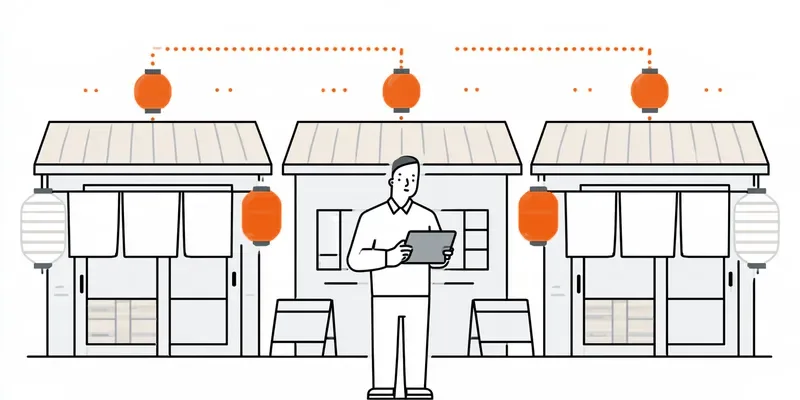
Multi-site Groups

  • Cross-store sales comparison and a morning briefing
  • Daily-report comments and store inspections keep head office in the loop
  • POS integration

Integrations

Food sites to accounting, all connected

Food-site bookings and reviews, Google Maps reviews, accounting software, alerts via LINE and chat apps, Google Calendar — bookmi works with the services you already use.

Bookings & Reviews

Bookings and reviews, together in one dashboard

ホ
ホットペッパー
Bookings synced, reviews pulled in
食べログ
Bookings synced, reviews pulled in
ぐ
ぐるなび
Bookings synced, reviews pulled in
Google マップ
Pull in your reviews

POS

Register sales flow into daily reports and analytics

スマレジ
Sales data import
Airレジ
Sales data import

Accounting

CSV exports ready for your accounting software

弥生会計
CSV for your accountant
弥生会計 Next
CSV for your accountant
freee会計
CSV for your accountant
マネーフォワード クラウド
CSV for your accountant
TKC
Sales into the FX series
MJS
Sales into MJS accounting

Notifications & Calendar

Bookings and orders on LINE, daily reports and alerts in your chat app, schedules to Google Calendar

LINE 公式アカウント
Bookings, orders and reaching guests
Slack
Daily sales reports and alerts
Telegram
Daily sales reports and alerts
WeCom(企業微信)
Daily sales reports and alerts
Google Calendar
Exports leave and schedules

Need to connect a head-office system or a service not listed here? Talk to us. Chat with us on LINE →

Payments

Square
Card and e-money payments on Square readers and terminals
KOMOJU
Online payments by card, PayPay, convenience store and more
Stripe
Online card payments for takeout and pre-orders
WeChat Pay
The QR payment most visitors from China use
Alipay
Alipay — QR payments for visitors to Japan

Online payments

With mobile ordering and takeout pre-orders, guests pay right on their phones — every major card, PayPay, Rakuten Pay and Apple Pay, plus WeChat Pay and Alipay for visitors.

VisaMastercardJCBAmerican ExpressDiners ClubPayPay楽天ペイApple PayGoogle Payau PAYd払いメルペイWeChat PayAlipay
Online payment fees
StripeKOMOJU
Credit cards3.6%3.25%
Apple Pay / Google Pay3.6%3.25%
PayPay3.98%3.5%〜
Rakuten Pay—4.4%〜
d Barai / au PAY / Merpay—3.5%〜
WeChat Pay3.6%2.5%
Alipay3.6%2.9% + ¥10

* Official standard rates of the payment service your restaurant signs up with (as of 2026-10-22). Fees are paid directly to the payment service, separate from bookmi's pricing. Stripe adds consumption tax. "~" means the rate can be higher depending on conditions; "—" means the service doesn't offer that method.

In-store payments

At the register, Square devices take cards, transit IC, iD, QUICPay and QR payments — and every sale goes straight into bookmi.

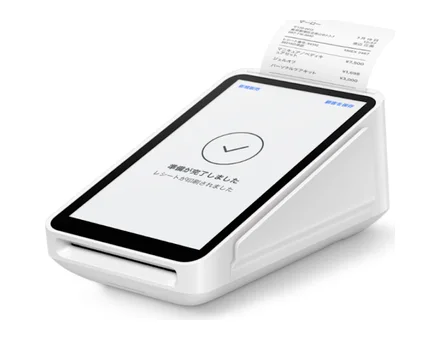
Square Terminal
Square Terminal
Recommended
¥39,980 (incl. tax)
or ¥3,332/month × 12*
Buy from Square ↗

* Installments require an eligible Japan-issued credit card (terms set by the card issuer).

交通系ICiDQUICPay

Other Square hardware

Prices include tax (Square official).
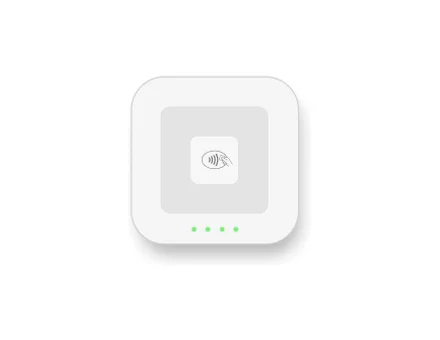
Square Reader
Square Reader
Pairs with a phone or tablet
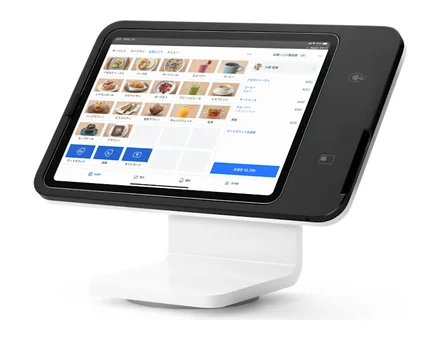
Square Stand
Square Stand
Turns an iPad into a register (iPad sold separately)
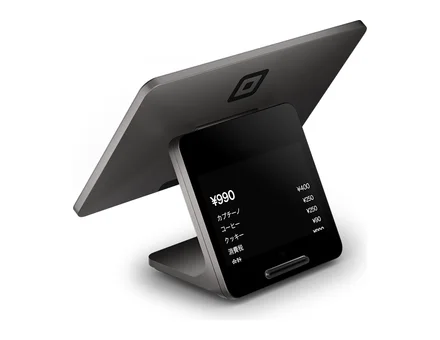
Square Register
Square Register
All-in-one register with staff and customer screens

Square fees

Compare fees with other payment services →
Credit cards
Visa, Mastercard, JCB, American Express, Diners Club, Discover
2.5%※ / 3.25%
UnionPay
3.25%
E-money
Transit IC, iD, QUICPay
3.25%
QR payments
PayPay, d Barai, Rakuten Pay, au PAY, Merpay, WeChat Pay, Alipay+
3.25%
Payout fee
¥0

* Cards at 2.5% apply to small and medium-sized businesses with under ¥30 million in annual cashless sales after applying to Square (otherwise 3.25%). Fees are paid directly to Square under your own contract, separate from bookmi's pricing. Square's official rates as of 2026-10-15.

Cash, gift vouchers, meal tickets and points too Choose which methods your restaurant accepts; daily reports and sales are totalled by method. * Available methods depend on your payment service contract.

Supported hardware

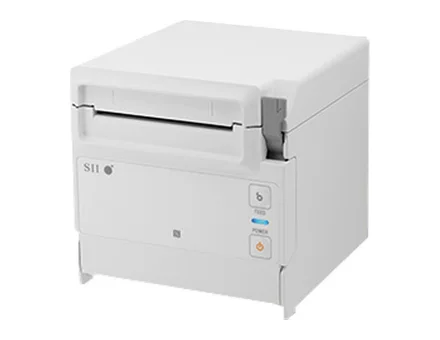
EEPSONSStarSIISII

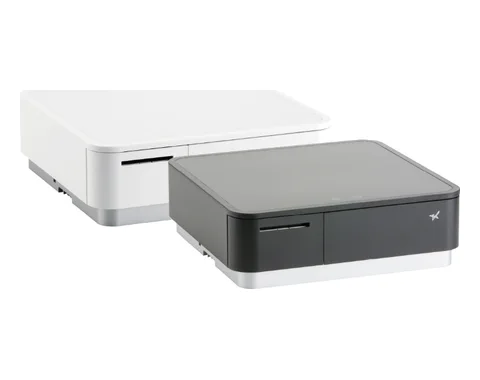
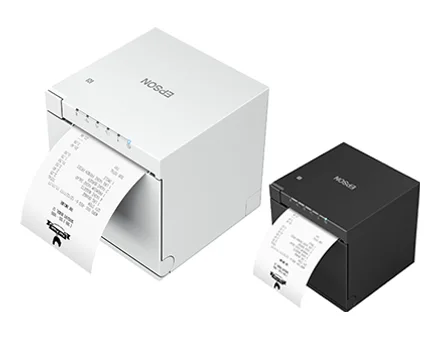
Receipt and kitchen printers from EPSON, Star and SII (Seiko Instruments) are supported, and the cash drawer can open automatically at checkout.

EPSON TM-m30Ⅲ-H
EPSON
TM-m30Ⅲ-H
Receipt & kitchen printer
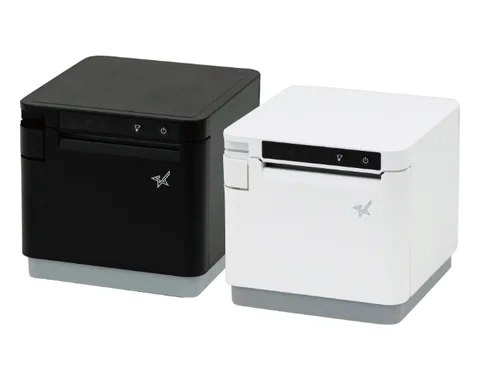
Star mC-Print3
Star
mC-Print3
Receipt & kitchen printer
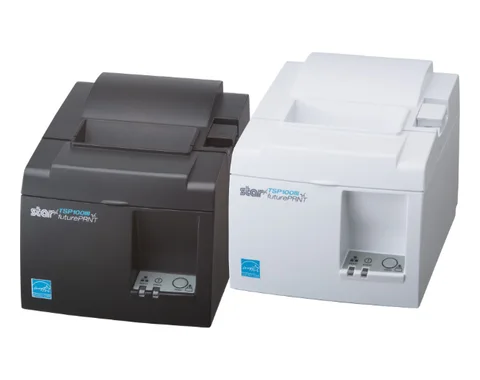
Star TSP100III
Star
TSP100III
Receipt & kitchen printer
SII RP-F10
SII
RP-F10
Receipt & kitchen printer
Star mPOP
Star
mPOP
Printer + cash drawer in one
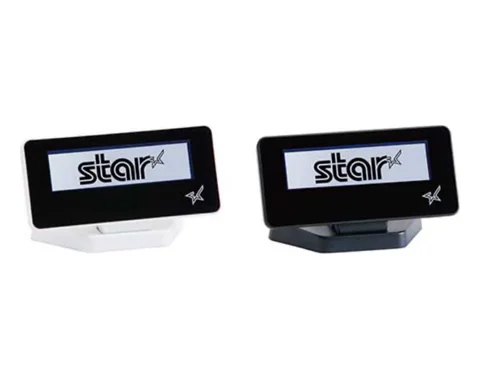
Star SCD222U
Star
SCD222U
Customer display
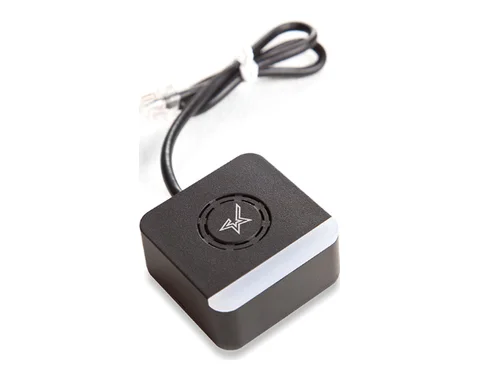
Star mC-Sound
Star
mC-Sound
Order & call chime speaker

* Product images: Seiko Epson Corporation, Star Micronics Co., Ltd., Seiko Instruments Inc. and Square, Inc. Company, product and service names and logos are trademarks or registered trademarks of their respective owners.

Pricing

Plans that fit the size of your restaurant

All our prices are public, and every monthly plan starts with a free trial.

Requires QR ordering / kitchen hardware →
Light
Bookings, orders and food safety for one store
¥15,800/ mo, tax incl.(¥14,364 excl. tax)Extra members ¥330/user · extra locations ¥12,000/location (monthly)
  • Reservation book (imports booking-site emails, guest records)
  • Mobile ordering and order management (menu, tables, printers)
  • HACCP records and expiry tracking
  • Review feed (gourmet sites and Google)
  • Knowledge base and integrations
  • Shifts and attendance as an add-on (¥3,300/store/month)
Start 30-day free trial

Start same day with self-serve setup

Pro
Multiple stores and people development
¥69,800/ mo, tax incl.(¥63,455 excl. tax)Extra members ¥330/user · extra locations ¥12,000/location (monthly)
  • Everything in Standard
  • Payroll, incentives and bonuses
  • Reviews, promotions, training and skill maps
  • Store inspections
  • LINE integration, segment messaging and booking reminders
  • 3 stores, 100 members, 30,000 points a month
  • Priority support
Start 30-day free trial

Free guided setup — your 30 days start once setup is done

Enterprise

Multiple entities or locations, or custom requirements — we'll quote you.

Talk to sales
  • Setup fee: ¥0
  • 30 days free, no credit card
  • Monthly plan: no termination fee, no annual contract
  • Monthly billing, stop anytime
  • Your data stays yours — export it all, anytime
  • Setup fee: ¥0
  • 30 days free, no credit card
  • Monthly plan: no termination fee, no annual contract
  • Monthly billing, stop anytime
  • Your data stays yours — export it all, anytime

Restaurant hardware (optional)

QR ordering, table-side ordering and kitchen printing need hardware. Rent monthly or buy outright. Other industries need no hardware at all.

  • iPad (11-inch)

    Table-side ordering and paging

    Rental
    ¥2,500 / mo
    Purchase
    ¥74,800
  • Kitchen printer, Epson TM-m30III

    Automatic order printing

    Rental
    ¥1,800 / mo
    Purchase
    ¥48,000
  • Kitchen display system (KDS)

    Live kitchen progress

    Rental
    ¥2,500 / mo
    Purchase
    ¥50,000
  • QR ordering stand

    Self-service ordering by QR code

    Rental
    ¥500 / mo
    Purchase
    ¥3,000
  • Square TerminalBy Square

    Card, e-money and QR payments, sent straight from the iPad checkout

    Buy
    ¥39,980from Square
    Processing fee
    from 2.5%
    View on Square

* Tax included. Rentals include maintenance and replacement; purchases come with a one-year warranty.
Square Terminal is sold by Square. Price and fees as shown on Square's site (October 2026). Payments go straight into your own Square account.

Onboarding

Light: menu setup done for you, ¥33,000 (tax incl., optional) / Standard & Pro: free guided initial setup

Add-ons

AI phone

* AI Phone call counts assume 2–3 minutes per call. Actual usage depends on call length.

  • AI Phone STalk time per month60min≈ 20–30 callsKnowledge base up to 5,000 characters¥3,980/ mo, tax incl.
  • AI Phone MRecommendedTalk time per month180min≈ 60–90 callsKnowledge base up to 5,000 characters¥8,800/ mo, tax incl.
  • AI Phone LTalk time per month400min≈ 130–200 callsKnowledge base up to 5,000 characters¥17,800/ mo, tax incl.
  • AI Phone XLTalk time per month850min≈ 280–425 callsKnowledge base up to 5,000 characters¥35,800/ mo, tax incl.

Other add-ons

  • Shift & Attendance Pack¥3,300 / location / moAdds shifts, attendance, leave and paid leave to the Light plan (monthly, per store)
  • LINE Pack¥4,400 / location / moSegment messaging and booking reminders: message LINE friends filtered by visits, visit count and tags, and remind guests automatically the day before (monthly, per store; LINE message fees are paid to LINE under your Official Account plan)

See pricing details →

Getting Started

We do the setup — you can be up and running the same day

We set up your menu and opening hours and bring over your existing guest list and booking history. All you do is check it.

¥0Setup fee
Same dayto go live
30 daysfree trial
Switching offerSwitching from another system? There's an offer for that¥0Menu & customer data migration, done for youUp to 60 daysFree side-by-side use until your contract ends* Applied by our team after a free consultation. Conditions apply.See the offer
A bookmi team member talking through setup with a café owner
  1. 1
    1 minYou

    Apply

    Request a free trial through the form. No credit card needed.

  2. 2
    Same dayWe do it

    Setup & Data Migration

    We draft your menu and opening-hours settings; you just check what needs changing. We also import your existing guest lists and booking history.

    A bookmi team member doing the initial setup on a laptop in a restaurant
  3. 3
    30 daysYou try it

    30-Day Free Trial

    Use it in your restaurant for real. Nothing is charged automatically when the trial ends.

  4. 4
    After thatWe support you

    Contract & Ongoing Help

    Monthly billing, stop any time. When your menu or locations grow, change it in the dashboard or ask us to help.

    A bookmi team member walking an owner through the app on a tablet
The bookmi support team

Support

  • Chat and email support from the dashboard
  • Weekday phone support (Standard plan and up)
  • We handle setup and import your existing data

デジタル化・AI導入補助金2026(旧IT導入補助金)

bookmi. は、補助金を使って導入できます

モバイルオーダー・POS から請求・会計までの bookmi の Standard プランは、デジタル化・AI導入補助金(インボイス枠)に登録された IT ツール。利用料 最大 2 年分が補助の対象になり、小規模事業者は補助率 最大 4/5 です。

補助率・導入例を見る →

Subsidies & grants

Find subsidies for restaurants, all in one place

Mobile ordering and cashless payments, kitchen equipment, energy saving, hiring and more. Search programmes for restaurants by area and headcount (refreshed daily from Jグランツ).

Find subsidies & grants →

FAQ

FAQ

Answers to the questions we hear most — getting started, pricing, and how bookmi works with the tools you already use.

Didn't find your question? Just ask.

Chat with us on LINE →

Can we keep using Hot Pepper and Tabelog?

Yes. bookmi reads the booking notification emails those sites send and gathers them into one ledger. There's no need to stop listing.

Do we have to replace our POS register?

No. Keep your current register and start with the features you need, such as bookings, ordering or shifts. If you use Smaregi or AirREGI, your sales data flows straight into daily reports and analytics.

Does it work for a single small restaurant?

Yes. The Light plan is designed for small restaurants.

Does the AI Phone confirm bookings on the spot?

No. The AI Phone (an add-on) answers booking and enquiry calls first and takes the message. Calls are not entered into the booking ledger automatically: staff review the call log in the dashboard, then confirm the booking or call back.

Can we see figures for several locations together?

Yes. The store comparison in Business analytics puts each location's sales and cost ratios side by side, and the morning daily briefing summarises the previous day for each location.

How long does setup take?

We handle the initial setup. Standard setups can go live the same day at the earliest, and typically within two weeks.

Recent updates

See all product updates →

Start now

Bring back your lost customers and earn ¥200K-1M more monthly

30-day free trial. No credit card required. Cancel anytime if it doesn't work.

30-Day Free TrialGet the guide

No credit card · takes a minute to apply

Chat with us on LINE →

※ The AI Phone is an add-on. The HACCP feature supports recording and storing hygiene records. Preparing a hygiene management plan and filings with the health centre remain the operator's legal responsibility. Available features vary by plan; see the pricing page for details.

Try freeNo card needed